

Announcement
Guide to Using the Burid System (Administrative Automation)

This is to inform all esteemed colleagues that in order to install the Barid administrative automation software, the following steps must be taken:
1- After ensuring your computer is connected to the university network, first, without connecting to the internet, type the address ftp.lu.ac.ir in the address bar of your My Computer and press Enter.

2- Enter the username lu and the password lu.

3- Enter the folder barid.
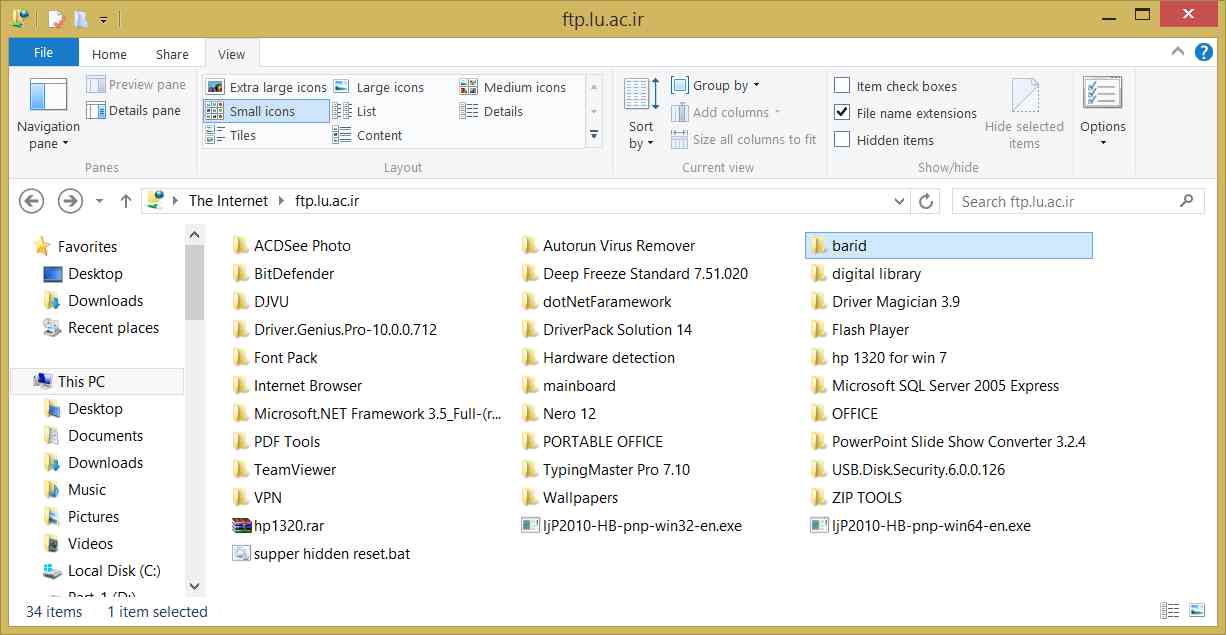
4- In this folder, you will see the following files:

☻Finally, the Barid system icon will appear on your desktop. By clicking on it and entering your username, you can log in to the system.
Oct 28, 2014
2258 View Count